BUCKET is an indispensable Magazine Style WordPress Theme aimed at providing you with an easy-to-use tool to share your discoveries and showcase the latest findings.
Whether you’re looking to share the latest cool things out there, write reviews for your favorite products, keep your visitors engaged with the latest videos, the hottest breaking news or special events, BUCKET is designed to fulfill these and more.
A powerful unique Admin Panel and a Custom Page Builder designed with ease of use in mind will enable you to setup your website in a matter of minutes. Everything just works the way you expect it to.
This is what BUCKET is all about: the right tool, in the right place, right when you need it!
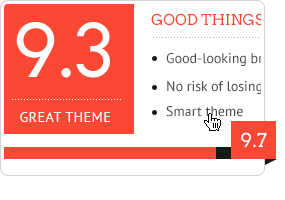 |
Integrated Review System
Powerful custom review system including score breakdown and Pros & Cons list.
Check out various review posts: Full Width Review Post, Pros and Cons or Paginated.
|
|
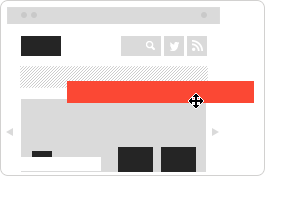
Custom Page Builder
Create unlimited home page layouts with our easy to use custom page builder.
Check out some homepage examples:
#1, #2 or #3
|
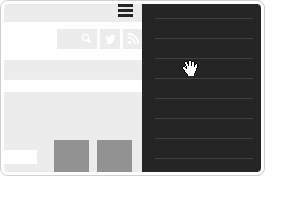 |
Mobile Ready (fully responsive)
Bucket features an OffCanvas menu to make it easy for your mobile users to discover you site.
We support both iOS and Android mobile devices.
|
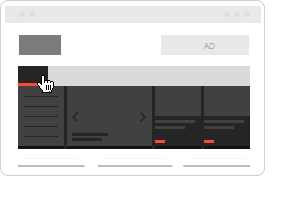 |
Our custom Mega Menu system allows you to focus your visitors at interesting posts by showcasing sub-menus, sliders and cards side-by-side. Choose to display the latest posts from a category as post cards and featured ones in a slider.
|
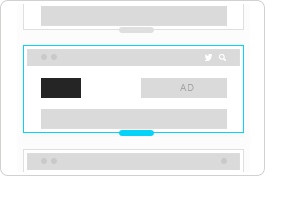 |
You can use 3 different header layouts to best suit your site focus (social, ads, logo) and, on top of this, you can mix in 2 color schemes (light and dark)
All these controls are provides by the Theme Options.
|
 |
Social and SEO Friendly
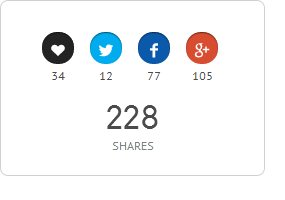
Integrated social share icons and likes using our custom PixLikes plugin. We’ve done our best to make it easy for Search Engines to discover your content through Schema.org markup, semantically correct markup, meta tags and much more.
|
 |
+600 Google Fonts
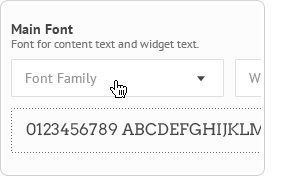
Take control of your portfolio’s typography with custom fonts controlled through Theme Options. Access the massive Google Fonts library and create your unique style.
|
 |
Translation Ready
BUCKET is fully compatible with WPML (.po files) so you can translate everything in your visitor’s language.
BONUS: language files included for German, French, Italian, Spanish and Portuguese.
|
|
 |
One Click Demo Install
REALLY!! Just one click and we set up everything: content pages, blog articles, menus, sidebar widgets.
Check out the Installation and Setup video »
Note: Images from the demo are replaced with placeholders.
|
 |
Powerful Options Panel
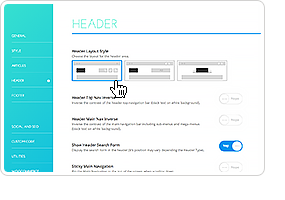
Customize the look and feel of your site with extensive theme options (based on the famous Redux Framework 3), custom website accent color, logo and many more.
View more screnshots »
|
 |
PixCodes Plugin
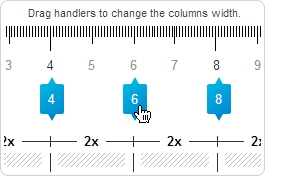
BUCKET comes with our powerful visual shortcodes plugin integrated right in your Wordpress editor. Quickly add columns, rows, icons, buttons, progress bars and much more.
Shortcodes made easy!
|

|
 |

|
|
Responsive Design and Retina Ready
Because beautiful imagery and carefully written content need to shine on any device, BUCKET is a fully responsive, Retina-ready Wordpress theme, with adaptive images that will look great down to the phone in your pocket.
More Features
Customize the look and feel of your site with extensive theme options, custom website accent color and a multitude of shortcodes.
We’ve also provided you with a series of custom widgets so you don’t have to compromise on design:
Latest Posts, Latest Comments, Latest Reviews, Popular Posts widgets;
Flickr and Dribbble photostream widgets;
Social icons widget with custom icons and drag&drop ordering.
We’ve taken the time to make this theme as easy to use as possible. We’ve integrated with many of the Wordpress core features, like featured images and widgets, assuring a smooth crossing from your old theme.
Full Features Overview
Responsive Design
Retina Ready (provided you upload pictures at least 700px wide)
Unlimited colors control of the site-wide accent colour
- Over 700 Google Web Fonts to choose from
- The custom made and easy to use PixCodes plugin:
Columns shortcode with interactive sliders
Icons shortcode (302 FontAwesome and 250+ Entypo icons)
Progress Bars shortcode
Separator shortcode
Button shortcode
- Quote
Extensive theme options based on Redux Framework 3
- Free from PHP notices and warnings (debug mode on was used during development)
Multilingual Translation and WPML ready, plus .po/.mo files for localisation included
Posts Stats Bar Graph in footer
- W3C HTML5/ CSS3 Valid
|
- Custom Page Builder
Social and SEO optimized:
- Facebook OpenGraph meta tags
- Google Plus meta tags
- Twitter meta tags (Twitter Cards)
Schema.org markup for Google Rich Snippets support
- See images in a lightbox responsive and mobile ready modal window
- Multiple Post Formats support for Blog Posts (video, audio, gallery, image, link)
8 custom designed widgets:
- Latest Posts
- Latest Reviews
- Latest Comments
- Popular Posts (Jetpack based)
Twitter Feed Widget
Flickr photostream widget (pull the latest images from a Flickr user or RSS feed)
Dribbble images widget that can display the latest images from a Dribbble user account
Social icons (with custom icons and drag and drop ordering)
- Back to Top animated button.
|
Credits
All images viewed in the live preview are for demo purposes only and are not included with your purchase.
Changelog
The current version is 1.6.9: Released on April 29th, 2017.
Click here to view the changelog
|













Hi,
ReplyDeleteI’m using an old version on one of my website (v1.6.2) where all posts on homepage are using Flexbox grid and everything is properly in-line with same height.
While i recently installed latest version (v1.6.9) on a new website and post boxes on homepage have different heights. They’re not using flexbox. Is there a way to fix this and keep them in-line with same height?
Hey James,
ReplyDeleteIf you still have troubles with this, please reach us through HelpDesk and give us a link to your website. We’ll have a look at it and figure it out where’s the problem.
Thanks,Radu
Just posted a ticket. #45789
ReplyDeleteWould it be possible to select posts based on tags with page composer blocks ?
ReplyDeleteHey there,
ReplyDeleteThe composer blocks are not made to get posts based on tags. You can only use the existing options (based on categories or post format).
Thanks,Radu
How difficult would it be to implement that. I am absolutely in need of something like that. I suppose its not coming in future updates, so can you provide me some guidance on where to get started and how much of change would be required.
ReplyDeleteHey,
ReplyDeleteSorry but this kind of change would require a lot of changes inside the theme files and this is a part we cannot help you with. I think that some help from a developer is required in this case.
Thanks for understanding,Radu
Is it possible to add more sidebars to a website? I want to add one sidebar by sections.
ReplyDeletehttps://www.dropbox.com/s/fvfribmbhs7hur2/capture.JPG?dl=0
Hey there,
ReplyDeleteI see what you’d like to do but, as you could see in Appearance → Widgets area, you can only have one sidebar when using Bucket. Even if you could add widgets in all the areas, as you pictured in your screenshot, the widgets would have been the same ones every time.
Making the change you’re looking for would require some changes inside the theme files.
Thanks,Radu