Trio - Band WordPress Theme
Themeforest Trio - Band WordPress Theme WordPress Theme


Show off your work with this easy-to-customize and fully featured WordPress Theme. When purchasing this theme, you will receive a detailed help file along with additional features like an Audio Player and Responsive Layout.
Theme Features
Audio & Video Player that supports multiple devices
WooCommerce Ready Theme – Easily build an e-Commerce website to start selling products
Unlimited Color Schemes that are easy to customize from a front-end color picker
Retina Support: Trio is optimized for high resolution displays like the Macbook Pro with Retina Display, iPhones and iPads
Responsive Layout: Mobile, Tablet and Desktop optimized
Video Documentation with a detailed written help file
Demo Content included in an XML Import file for quick setup
Translation Ready with a .po file- Unlimited Portfolios can be created
- Unlimited sidebars supported
- Ability to post tour dates and share them
- Flickr Widget that automatically pulls in your Flickr images
- Built using HTML5 Boilerplate for a fast, robust and future-proof site!
- Photoshop Files Included
Premium Media Player Built-in! $19 Value!
We have bundled in an audio and video player into the theme. This player includes a playlist feature and easy to customize skins.
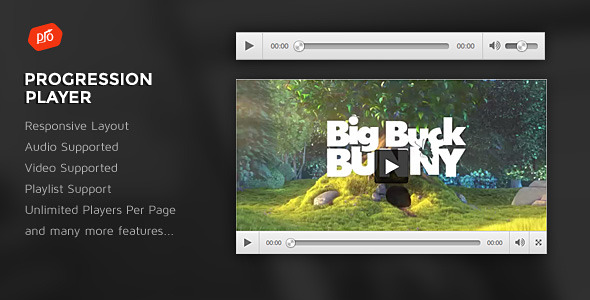
ProgressionPlayer – WordPress Plugin
Custom Fonts used in theme
Fjalla One (free download)
Open Sans (free download)
Audio used in Live Preview
- Indie rock by AdamCaptured:
- Winner by kristijanf
- Get Out of My Way by AdamCaptured
- Positive Thinking by BeatheBeat
- Cheer Up by sevenfoursounds
- Glitchy Digital Crystal Logo #07 by alkis
Theme Updates – Changelog
==Version 2.9 - 1 July 2017==
Added Support for WooCommerce 3.1

Files Updated
/content-product.php
/content-single-product.php
/single-product/product-image.php
/single-product/product-thumbnails.php

==Version 2.8 - 5 April 2017==
Added Support for WooCommerce 3.X.X
Updated Plugins: Slider Revolution(revslider.zip)
Updated plugins under /Additional Files/ folder of download
How to update plugins: http://progressionstudios.com/tutorial-item/how-to-update-your-premium-plugins/
Files Updated:
functions.php
/single-product/product-image.php
/single-product/product-thumbnails.php

==v2.7 28 July 2016 ==
Added support for latest WooCommerce update
Files Updated:
/single-product/product-image.php
/single-product/product-thumbnails.php

==v2.6 - 2 July 2016 ==
Added support for new required Google Maps API Key
Files Updated: functions.php

==v2.5 16 June 2016 ==
Added support for WooCommerce 2.6.x. Updated Files:
-style.css (section 11. WooCommerce Styling)

==v2.4 19 January 2016 ==
WooCommerce 2.5 Support Added!
-Files Updated:
    content-product.php
    content-product_cat.php

==v2.3 - 10 December 2015 ==
-WordPress 4.4 Supported!
-Updated /single-product/price.php file

==v2.2 - 20 August 2015 ==
=WordPress 4.3 Support Added!
-Updated /widgets/ folder

==v2.1 - 13 August 2015 ==
-Added Support for WooCommerce 2.4.x
Files Updated:  content-product.php, content-product_cat.php and /single-product/tabs/tabs.php

==v2.0 - 14 June 2015 ==
-prettyPhoto Lightbox Plugin Update
Files Updated:  /js/plugins.js

==v1.9 - 12 February 2015 ==
- Support added for WooCommerce 2.3.x
Files Updated:
- style.css (Bottom section noted as v1.9 update)
- /global/breadcrumb.php
- product-searchform.php

==v1.8 - 1 October 2014 ==
-Updated Progression Player Audio/Video Player.  Video playlists and album artwork now supported on playlists!
-Additional file updates:  style.css, section "15. SOCIAL ICONS"

==v1.7 - 11 September 2014 ==
-Support added for WooCommerce 2.2.x
-Files updated:
/global/breadcrumb.php
/global/sidebar.php
/loop/orderby.php
/loop/pagination.php
/single-products/product-attributes.php

==v1.6 - 19 February 2014 ==
-Fixed WooCommerce Notices
-Removed /single-product/add-to-cart/ folder
-Removed /loop/add-to-cart.php
-Removed /global/form-login.php
-Removed /cart/ folder
-Removed /single-product/review.php

==v1.5 - 11 February 2014 ==
-Updates for WooCommerce 2.1+
-Updated style.css under section WooCommerce Styles
-Added /global/ folder for WooCommerce sidebar
-Edited /single-product/product-image.php
-Removed single-product-reviews.php file

==v1.4 - 9 November 2013 ==
-Updated Progression Player (Audio/Video Player) to version 1.2

==v1.4 - 5 November 2013 ==
-Updated plugins.js file for the latest version of FitVids Responsive Videos script

==v1.3 - 26 September 2013 ==
-Update to include support for unlimited logo sizes.
-Updated files are style.css file (Changes noted at bottom of stylesheet) and header.php file

==v1.2 - 4 September 2013 ==
-Updated page-tour.php (Tour Index page)
-Updated taxonomy-tour_type.php (Tour Category Pages)
-Updated functions.php to add-in functionality for post per page control on tour pages

==v1.1 - 24 August 2013 ==
-Minor CSS update for Logo Size (Easily adjust logo to any size)
-Minor responsive styling updates (/css/responsive.css)
Signup for our e-mail newsletter
Get notified via e-mail when we release new themes! It’s easy – sign up for our e-mail newsletter here
Need Support? Visit our Support Forum
We offer theme support via our support forum. Please post all support questions through our support forum. We reserve the item comments for pre-purchase questions.


Hello, I purchased this theme and applied to one of my projects. However, we’ve got a 10 px margin in the right when we browse the site from an iPad. This issue is not occurring in desktop browsers.
ReplyDeleteCan you help us to solve the problem, if possible? Here is the site: http://www.canturkkan.com
We provide support via our forums. Go ahead and post your question in our support forums and we will help you out:
ReplyDeletehttp://support.progressionstudios.com
thanks for the great theme!
ReplyDelete1 question, how can i change the “ticket” to “n/a” in tour section?
your tutorial vid doesn’t play…
thanks,
If the video doesn’t play, try another browser. We can confirm the videos work. If you want N/A, just type “true” into the “Concert Not Available Field”.
ReplyDeleteIf you have any other questions, feel free to post them in our support forums:
http://support.progressionstudios.com
I would love this theme, but can you at something like this http://wp-buddy.com/dev/plugins/rich-snippets-wordpress-plugin/ rich snippets that show tour dates, images etc in google, that would make this theme the best and maybe a splash page like the one from red fang bands love it
ReplyDeleteThose features can be added via a plugin as you have pointed out. I recommend using that or another rich snippets plugin if you want to modify the google search results.
ReplyDeleteLet me know if you have any other questions.
I really like your theme and I am considering purchasing it. Can I use widgets to connect the website to a related bandcamp site? How about to a Facebook page? And to iTunes to download our music? Thanks.
ReplyDeleteYeah, you can add those to any WordPress site. There are plugins to add-in Facebook Like boxes. Also, you can easily link to iTunes and Facebook pages as well.
ReplyDeleteLet me know if you have any other questions.
Do you have a HTML version of this site or can this be used as a regular HTML/PHP website?
ReplyDeleteThanks!
Unfortunately we do not have an HTML version. We do include a sample homepage along with a few additional page templates in HTML. This is included with the theme download. It is not the full theme but has the main containers and main styling.
ReplyDeleteLet me know if you have any other questions.
Thanks for the fast response. I don’t have much experience with wordpress. I do all website builds through the back end code. I guess my question is can I manually edit the php and html through the backend with a text editor and publish it as a stand alone website or does it have to be edited through wordpress? Or will I only be able to do that with the sample HTML files that you mentioned?
ReplyDeleteYou can definitely edit files via a text editor but that would only be to modify things like styling and layouts. The actual content would mostly need to be added via WordPress. Again, you could manually create page templates (very easily) and manually add-in the HTML. This isn’t common but if you felt more comfortable, you could do this. Note: The audio player would need to be added via WordPress. Most other content could be manually added in via PHP code.
ReplyDeleteLet me know if that helps or if you have any additional questions.
Cool. Thanks for the help.
ReplyDeleteHi !
ReplyDeleteIs this theme compatible with WPML ?
Thanks
Yeah, this theme will work with WPML.
ReplyDeleteLet me know if you have any other questions.
Hello,
ReplyDeleteI am using your theme, but I got many spam-problems. Now the second time I got hacked, and the hackers installed a spam-sending script.
First time they created heev.php, second time they created a theme rfx/mail.php. So I got hacked from two different persons/bots.
Is there any known issue to prevent?
Best Regards
Make sure you are using our theme(It doesn’t show a purchased badge on this account). We can confirm our themes have 0 vulnerabilities. This is almost always a hosting provider issue. I recommend contacting your hosting provider as they will be able to help you out. It sounds like a folder permissions issue in the hosting or some other hosting setting if this happened twice.
ReplyDeleteHello, I’m having some problems accessing the support forums to post question there. I have been using Trio theme for clients website http://www.mattyryancomedy.com for a year or so. I was just informed that for about a month the images stopped showing up as the featured header image on top of each page as well as on his home page (static image).
ReplyDeleteI’ve reviewed your documentation, read all the discussions, watched the setup vids. Everything seems to be ok. Still no images are appearing. Please advise!
You must confirm your account via e-mail before you can post. If you did not receive the conformation e-mail, let us know your username in the forums and we can approve your account.
ReplyDeletefarnan
ReplyDeleteYour account is already confirmed. You can post questions by clicking on the “Start a New Discussion” button in the top right.
ReplyDeletehttp://support.progressionstudios.com
Thanks for the quick response. Just posted my question in the discussion forums.
ReplyDeletehttp://support.progressionstudios.com/discussion/9349/problem-with-images
Appreciate the help.
We will answer your question as soon as possible. It is the end of the day here. If you do not receive an answer tonight, we will answer first thing in the morning.
ReplyDeleteOk, thanks!
ReplyDeleteAwesome theme. Quick questions: Can multi-users be able to front end submit their events/merchandise? Can this theme be integrated with PayPal or Stripe for submissions or monthly membership? How can artists have the option to Claim Listings? Is there a way to schedule bookings?
ReplyDeletehis theme is integrated with PayPal via the eCommerce solution WooCommerce. Merchandise and other items can be sold. If you wanted to add-in ticket sales or events, you would need a plugin like: http://www.woothemes.com/products/tickets-woocommerce/ or http://codecanyon.net/item/woocommerce-events/11753111 (Many others as well). As far as front-end submitting goes, you would need to use a plugin for that as well if you wanted to offer front-end submissions.
ReplyDeleteI recently purchased Trio; however, even though I have been programming for 25 years, I am new to Wordpress and am having a tough time breaking my traditional thinking and therefore it is very slow going for me. I very much like how the Home page is setup on your live preview. I thought when I loaded your Live Preview files that they would at least be set up like it is here. Unfortunately they are not. Is there any way that I could get the files that go with the Live Preview that is loaded here on Themeforest so that I may look at how the pages are setup to figure out how to create the pages that I am trying to create, please? It would be appreciated.
ReplyDeleteWe include the demo content with all of our themes that match the live preview. Check the documentation if you are unsure how to set load the demo content. If you need any additional help, feel free to post in our support forums. We are happy to assist: http://support.progressionstudios.com
ReplyDeleteI did follow the video in the documentation but all the pages are just partial examples. I will try again to see if I did something wrong. I would just like to have the files as they appear on the Live Preview so that I can compare the code so that I can educate myself how to use the features of the template and Wordpress. Thank you for your quick reply.
ReplyDeleteFeel free to post in our forums if you are having trouble with the import. We can walk you through it and/or help you out with any missing content: http://support.progressionstudios.com
ReplyDeleteI was right; I did follow your video correctly. I watched again and I notice when you import it and make some changes, it is very much stripped down. You even said that it was so we didn’t have so much to delete. Since I am new to Wordpress, I am just lost. If I had the full live preview as it appears here, I could load it as an example site on my computer and then look through all of it in order to educate myself as to how all of the pieces go together. If this is not possible, please suggest somewhere that I might find some training to understand all of this.
ReplyDeleteThank You!
Yeah, we have a support forum in which you can get help 7 days a week. Feel free to post any questions in the forums:
ReplyDeletehttp://support.progressionstudios.com
Hi, Looking at buying Trio Band but want to check UK/Aus date formats supported (ddmmyyyy) and also when a booking is added between 2 dates that the list appears in date sequence? I can’t register for item comments without a purchase code which means I have to buy to answer my question – not happening! 3 hours so far looking for a way to submit the question.
ReplyDeleteYeah, you can use any date format. Also, you have control over the order. You can drag/drop to adjust any of the dates.
ReplyDeleteLet me know if you have any other questions.
Note: The support forums are for buyers that need help after purchasing. You can post any pre-purchase question here in the item comments.
Hi,
ReplyDeleteWith Trio, am I able to add a music player that:
a) Will stick to the footer of my website and is <100 pixels in height?
b) Can play multiple audio tracks?
c) Will automatically pause itself when another audio/video track plays within the website?
I appreciate your help very much.
Thank you,
Jeff